PM Kisan Payment Status: Check Installment & PFMS DBT
Key takeaways
- PM Kisan payment status can be verified online through the official portal (pmkisan.gov.in) using your 11-digit Registration Number or Aadhaar-linked mobile OTP.
- Under DBT rules, all PM-KISAN Rs 2,000 installment payments are disbursed strictly via the Aadhaar Payment Bridge (APB), meaning money is credited to whichever bank account is actively seeded with NPCI.
- If your portal status displays "FTO Generated: YES", the central government has authorized the Fund Transfer Order, and money will reach your NPCI-linked account within 24 to 72 bank working hours.
- Common payment hold errors include "Aadhaar Not Seeded in Bank", "Bank Status Rejected by PFMS", "Land Seeding: NO", and "eKYC Incomplete".
- Farmers can resolve Aadhaar bank seeding instantly by submitting an NPCI DBT Mandate at their bank branch or opening a biometric paperless India Post Payments Bank (IPPB) DBT account.
- Official helpline numbers for payment resolution are 155261, 1800-11-5526 (Toll-Free), and the Kisan Call Centre at 1800-180-1551.
The Pradhan Mantri Kisan Samman Nidhi (PM-KISAN) is the world’s largest Direct Benefit Transfer (DBT) social security initiative for agricultural landholding families. Administered by the Ministry of Agriculture and Farmers Welfare, the scheme transfers Rs 6,000 per financial year directly into the bank accounts of eligible farmers in three equal four-monthly installments of Rs 2,000 each. However, as the central government shifted from legacy bank account number credits to mandatory Aadhaar Payment Bridge (APB) transactions and rigorous land digitized validations, millions of beneficiaries encounter delayed, suspended, or rejected installment transfers. Verify related KisanPe comparisons and official portal references via PM Fasal Bima Yojana, paddy crop management guide.
Checking your PM Kisan payment status (पीएम किसान पेमेंट स्टेटस) provides immediate transparency into your Fund Transfer Order (FTO) processing, Public Financial Management System (PFMS) bank acceptance, NPCI Aadhaar seeding health, and eKYC authentication. Whether you are tracking a recent four-monthly tranche, verifying an overdue back-installment, or investigating why a transfer was rejected by your bank, this comprehensive guide outlines exact step-by-step procedures, technical error diagnostics, and official rectification workflows.
Understanding PM Kisan Payment Architecture: PFMS & Aadhaar Payment Bridge
To understand why payment statuses change or why transfers get stopped, it is crucial to appreciate the digital architecture governing PM-KISAN disbursements. In the scheme’s early years, funds were transferred using standard NEFT/RTGS protocols based on the IFSC code and bank account number entered by the farmer during manual registration. This legacy model created massive failure rates: bank mergers changed IFSC codes, typos in account digits caused misdirected funds, and dormant rural accounts rejected electronic credits.
To eliminate intermediaries and eliminate leakages, the Government of India overhauled the payment rail to the Aadhaar Payment Bridge (APB) system managed by the National Payments Corporation of India (NPCI) and monitored by the Public Financial Management System (PFMS). Under the APB mechanism, the central ministry does not transfer money to a specific bank account number; instead, it sends the Rs 2,000 installment directed to the beneficiary’s 12-digit Aadhaar number.
The NPCI centralized mapper automatically routes the government DBT payment to whichever bank account is actively seeded with Aadhaar and mapped for DBT receipts. Consequently, if a farmer possesses multiple accounts across State Bank of India, Punjab National Bank, or a regional Gramin Bank, the money is credited strictly to the account designated as the primary NPCI DBT mandate holder.
How to Check PM Kisan Payment Status Online Step-by-Step
Beneficiaries can verify their installment transfer history, bank processing status, and eligibility checklist through the official PM-KISAN web portal. Follow these exact steps to check your payment status:
- Visit Official Portal: Navigate to the official PM-KISAN web portal at pmkisan.gov.in using any secure web browser on your mobile phone or desktop.
- Locate Farmers Corner: Scroll down the homepage to the designated "Farmers Corner" section situated on the right-hand side of the page.
- Select Know Your Status: Click on the "Know Your Status" (पहले Beneficiary Status) tab. This opens the secure beneficiary inquiry terminal.
- Enter Registration Number: Input your unique 11-digit PM-KISAN Registration Number (e.g., UP123456789, BR123456789, MP123456789).
- Solve Captcha & Request OTP: Carefully enter the displayed alphanumeric captcha code and click the "Get OTP" button. A 4-digit or 6-digit one-time password will be dispatched to your Aadhaar-registered mobile number.
- View Dashboard: Enter the received OTP and click "Submit". Your comprehensive beneficiary dashboard will load, displaying personal details, eligibility status, and installment-by-installment payment records.
If you do not remember your 11-digit registration number, click the "Know Your Registration Number" link located on the status page. You can retrieve it instantly by entering either your 12-digit Aadhaar number or the mobile number registered with your PM-KISAN profile, followed by mobile OTP authentication.
PFMS DBT Response Codes & Installment Status Meanings
When reviewing your beneficiary dashboard under the "Latest Installment Details" tab, the portal provides specific technical terms regarding payment processing. Understanding what each status code signifies allows you to identify whether money is already in your account, pending bank clearance, or blocked due to a technical discrepancy.
The table below details every official PFMS response code, its operational meaning, and the exact corrective action required:
| Displayed Status / Response Code | Current Operational Stage | Financial Significance | Farmer Action Required |
|---|---|---|---|
| Payment Success | Transaction Completed | Rs 2,000 has been successfully credited to your NPCI-seeded bank account; UTR number generated. | Check passbook or mini-statement of the specific bank account linked to NPCI mapper. |
| FTO Generated and Payment Confirmation is Pending | Fund Transfer Order Authorized | State & Central governments have signed electronic release orders; bank credit is actively processing. | No action required. Funds normally credit within 24 to 72 bank working hours. |
| Rft Signed by State Government | Request for Fund Transfer Signed | State level verification completed for farmers enrolled in PM Fasal Bima Yojana; transfer request forwarded to central nodal bank for FTO creation. | Wait for central government FTO generation cycle; ensure bank account remains active. |
| Waiting for Approval by State Government | Preliminary Verification Stage | Beneficiary data uploaded; state agricultural nodal officer has not yet certified the beneficiary list. | Contact your Block Agriculture Officer (BAO) or District Nodal Officer if stuck for over 60 days. |
| Bank Status: Rejected by PFMS | Transaction Failed at Bank Level | PFMS attempted transfer but beneficiary bank rejected credit due to invalid account, closure, or name mismatch. | Submit Aadhaar NPCI DBT Seeding Mandate at bank branch or open an active IPPB savings account or review your eligibility with our KCC limit calculator. |
| Aadhaar Not Seeded in Bank / Inactive NPCI | Payment Bridge Routing Failure | No active bank account is linked to your Aadhaar number on the NPCI centralized mapper. | Visit bank branch with Aadhaar card and fill "DBT Mandate Form", or open digital account in IPPB. |
| Land Seeding: NO | Statutory Verification Hold | Revenue department records (Bhulekh) do not show linked land ownership data against beneficiary profile, which can also be verified through regional land records and the PM Kisan scheme portal. | Submit physical copy of Khatauni/Jamabandi land records to local Lekhpal/Patwari or Agriculture office, or consult our paddy crop management guide. |
| eKYC Status: NO / Pending | Authentication Suspension | Beneficiary has not completed mandatory Aadhaar-based electronic Know Your Customer authentication. | Complete instant eKYC using facial authentication on PM Kisan Mobile App or biometric at CSC. |
| Account Closed / Dormant | Bank Account Invalidation | Account has remained inactive with zero transactions for over 24 months, triggering bank operational freeze. | Visit bank branch to reactivate account with fresh KYC deposit or re-seed an alternative active account. |
Agricultural households managing operational budgets and input planning with our fertilizer dose calculator and crop income calculator can also explore collateral-free institutional credit and government machinery support programs including the Kisan Credit Card loan scheme and seasonal farm mechanization to support their farm operations.
How to Fix Aadhaar Bank Seeding & NPCI Mapping Errors
The single most common reason why eligible farmers stop receiving their PM-KISAN Rs 2,000 installment is Aadhaar bank seeding deactivation. It is vital to recognize the difference between merely linking Aadhaar to your bank account and seeding Aadhaar with NPCI for DBT benefits.
Aadhaar Linking is a basic KYC compliance measure that permits you to operate your bank account. Aadhaar Seeding (NPCI Mapping), on the other hand, registers your bank account on the central National Automated Clearing House (NACH) mapper as your official recipient account for all Government of India welfare payments. You can have five bank accounts linked with Aadhaar, but only ONE account can be seeded for DBT transfers at any given time.
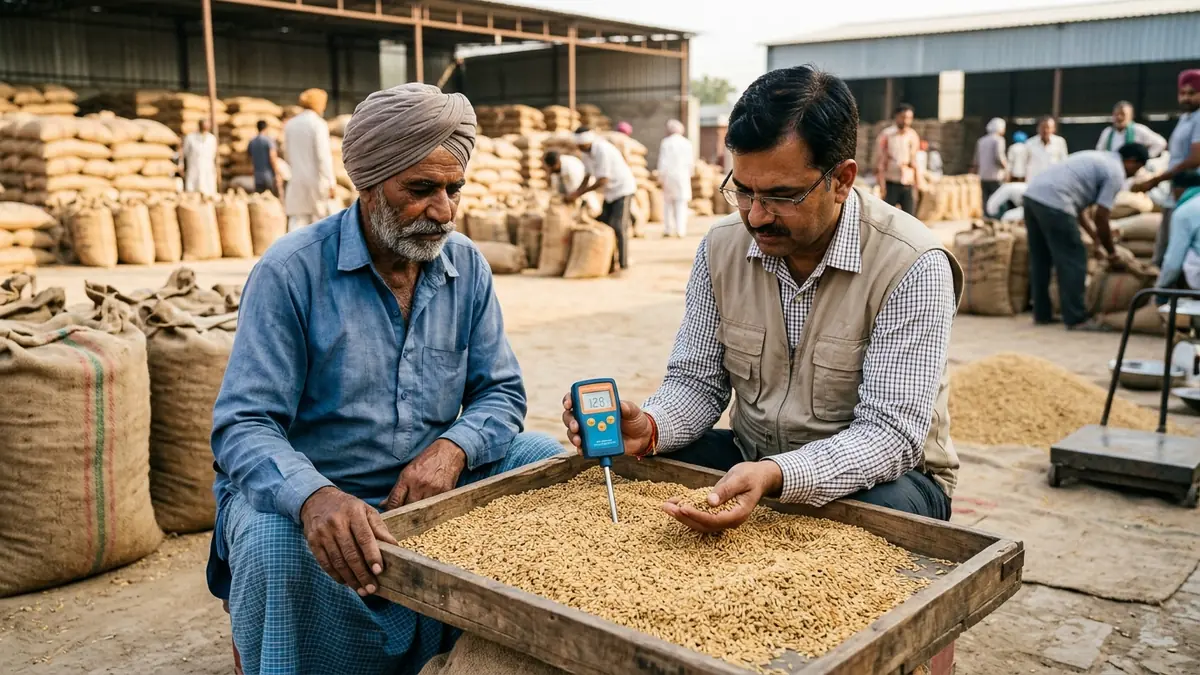
Three Fast Ways to Fix Inactive NPCI Seeding
- Method 1: Branch DBT Mandate Form: Visit your existing commercial or rural bank branch (SBI, PNB, Canara, BoB, Gramin Bank) carrying your passbook and original Aadhaar card. Ask the customer desk for the "Application for Linking / Seeding Aadhaar Number and Receiving DBT Benefits into Bank Account (NPCI Mapping)". Fill in your 12-digit Aadhaar number, sign the declaration, and obtain an acknowledgment slip. Processing typically takes 48 to 72 hours.
- Method 2: Open an India Post Payments Bank (IPPB) Account (Fastest): If your local bank branch causes bureaucratic delays or claims ignorance regarding NPCI mapping, walk into your local village post office or meet the local Gramin Dak Sevak (postman). Open an IPPB digital savings account using your biometric fingerprint. Request the postman to check the "Aadhaar DBT Seeding Mandate" box during electronic account opening. IPPB accounts are mapped directly to the NPCI DBT bridge within 24 hours with zero paperwork.
- Method 3: Net-Banking / Mobile App DBT Mandate: Major public and private banks now allow customers to manage DBT seeding directly through mobile banking applications. Log into your bank app, navigate to "Service Requests" > "Aadhaar Services" > "Aadhaar Seeding for Government DBT", and select your primary savings account as the active DBT mandate.
Fixing Land Seeding (Bhulekh) and eKYC Verification Holds
Beyond bank seeding, two mandatory compliance filters instituted by the Ministry of Agriculture have halted installments for millions of rural farmers: Land Seeding and eKYC Authentication.
How to Rectify Land Seeding: NO
When your beneficiary status indicates "Land Seeding: NO", it indicates that the central database has not matched your digital revenue land record (Khatauni/RoR/Jamabandi) with your registered beneficiary profile, which can also be verified through regional land records and the PM Kisan scheme portal. This status completely halts FTO generation even if your bank and Aadhaar details are 100% accurate.
To resolve Land Seeding, compile the following physical documents: (1) An updated certified copy of your computerized land record (Khatauni/Pahani/7/12 extract) showing your name as a recorded landowner, (2) Self-attested photocopy of your Aadhaar card, (3) A printout of your PM-KISAN beneficiary status page showing "Land Seeding: NO". Submit these documents in person to your local Lekhpal / Patwari or visit the office of the Block Agriculture Officer (BAO) or District Agriculture Officer (DAO). The revenue department will verify the plot coordinates in the state Bhulekh portal and mark the record verified in the central PM-KISAN portal.
How to Complete eKYC Verification
Every enrolled farmer must complete periodic Aadhaar eKYC to confirm they are alive and eligible. Beneficiaries can execute eKYC through three distinct channels: (1) OTP-based eKYC on pmkisan.gov.in (free of charge for users with Aadhaar-linked mobile numbers), (2) Biometric eKYC at any Common Service Centre (CSC) or State Seva Kendra for a nominal fee of Rs 15, or (3) Face Authentication on the PM-KISAN Mobile App (Google Play Store), which uses smartphone camera facial scanning and requires neither biometric scanners nor Aadhaar OTP.
PM Kisan Payment Grievance Redressal & Official Contacts
If your payment status has been stuck in "Waiting for Approval", "Rft Signed", or "Bank Rejection" across multiple seasonal disbursement cycles without resolution, farmers can register formal grievances through government redressal mechanisms.
The Ministry of Agriculture maintains multiple dedicated grievance channels to ensure zero legitimate farmers are deprived of their statutory welfare entitlements:
- PM-KISAN Central Helpline Numbers: 155261 (Toll-Free), 1800-11-5526 (National Toll-Free), and 011-23381092 / 011-23382401 (Direct Delhi Central Monitoring Cell).
- Kisan Call Centre (KCC): Dial toll-free 1800-180-1551 from any mobile phone or landline between 6:00 AM and 10:00 PM daily. Agricultural experts assist farmers in 22 regional languages.
- Online Helpdesk Grievance Registration: On pmkisan.gov.in, click on "Help Desk Query Form" under Farmers Corner. Enter your Registration Number or Aadhaar number, select your grievance category (Problem in Payment, Account Number Correction, Aadhaar Correction, Gender Correction), write a concise explanation, and submit to generate an official grievance tracking ticket.
- CPGRAMS Portal: Farmers can also register an escalated administrative grievance on the Central Public Grievance Redress and Monitoring System (pgportal.gov.in) under the Department of Agriculture and Farmers Welfare.
Farmers can also cross-reference other agricultural tools, tractors, commodity mandi rates, and livestock guides to ensure comprehensive operational resilience across their farm enterprise.
Frequently asked questions
- How can I check my PM Kisan payment status online by Aadhaar number?
- On pmkisan.gov.in, navigate to "Know Your Status" under Farmers Corner. If you do not have your registration number, click "Know Your Registration Number", enter your 12-digit Aadhaar number, solve the captcha, and verify with the mobile OTP. Once your registration number is retrieved, enter it in our PM Kisan beneficiary status tool to view your complete payment records.
- What does "FTO Generated and Payment Confirmation is Pending" mean in PM Kisan?
- This status confirms that both State and Central governments have verified your eligibility and digitally signed the Fund Transfer Order (FTO). The payment package is currently with the clearing bank and NPCI, and Rs 2,000 will be credited to your Aadhaar-seeded bank account within 24 to 72 bank working hours. You can track banking updates via our PM Kisan bank balance check guide.
- Why did my PM Kisan payment status show "Bank Status: Rejected by PFMS"?
- PFMS rejects transactions when the beneficiary bank account is closed, dormant, frozen, or has an invalid IFSC code resulting from rural bank mergers. Check our mandi rates platform and rural bank directory for updates. Verify your account tracking directly on the Public Financial Management System (PFMS) portal and ensure active mapping on the NPCI Aadhaar Payment Bridge (APB).
- How can I fix the "Aadhaar Number Not Seeded in Bank" error for PM Kisan?
- Visit your home bank branch carrying your passbook and Aadhaar card and submit the "NPCI DBT Mandate Seeding Form". Alternatively, open an Aadhaar-enabled digital savings account at your local India Post Payments Bank (IPPB) post office, which automatically activates NPCI DBT seeding within 24 hours. Full steps are outlined in our PM Kisan portal status verification guide.
- What should I do if my PM Kisan status shows "Land Seeding: NO"?
- Take an updated computerized copy of your land record via our state Bhulekh portal directory, self-attested Aadhaar photocopy, and status printout to your local Lekhpal / Patwari or Block Agriculture Officer. They will verify your land ownership in the revenue portal and clear the hold on your profile.
- Can I check PM Kisan payment status using only my registered mobile number?
- Yes. Go to "Know Your Status" > "Know Your Registration Number" on the official portal, select the "Mobile Number" search option, enter your registered 10-digit mobile number and captcha, and submit the OTP to fetch your registration ID and view your full installment ledger.
- Will I receive stopped or missed installments after fixing my bank seeding or land record?
- Yes. PM-KISAN is a statutory beneficiary scheme. Once your pending compliance issues (eKYC, Land Seeding, or Aadhaar NPCI seeding) are validated, the central ministry releases all previously withheld back-installments in lump-sum or subsequent payment cycles.
- What is the difference between Aadhaar linking and Aadhaar seeding for PM Kisan payments?
- Aadhaar linking is basic KYC identification between you and your bank. Aadhaar seeding (NPCI mapping) is central registration on the National Automated Clearing House (NACH) bridge that directs government DBT funds to that specific account. PM Kisan payments require active Aadhaar seeding.
- Why did my PM Kisan payment go to a different bank account than the one I entered?
- Under the Aadhaar-based payment system (ABPS), PM-KISAN funds route strictly to the bank account most recently mapped to your Aadhaar on the NPCI mapper, regardless of the account details submitted during initial application.
This article is for general information only and is not financial advice. Loan and scheme eligibility depends on partner and government criteria.